
Memory and files
Organize company context, shared knowledge, role guidance, uploads, and AI-created artifacts in a Yodu workspace.
Memory gives the team context. Files give the work evidence and a durable output.
Workspace memory
Open Memory to manage canonical documents available to AI employees. Yodu groups memory by scope.
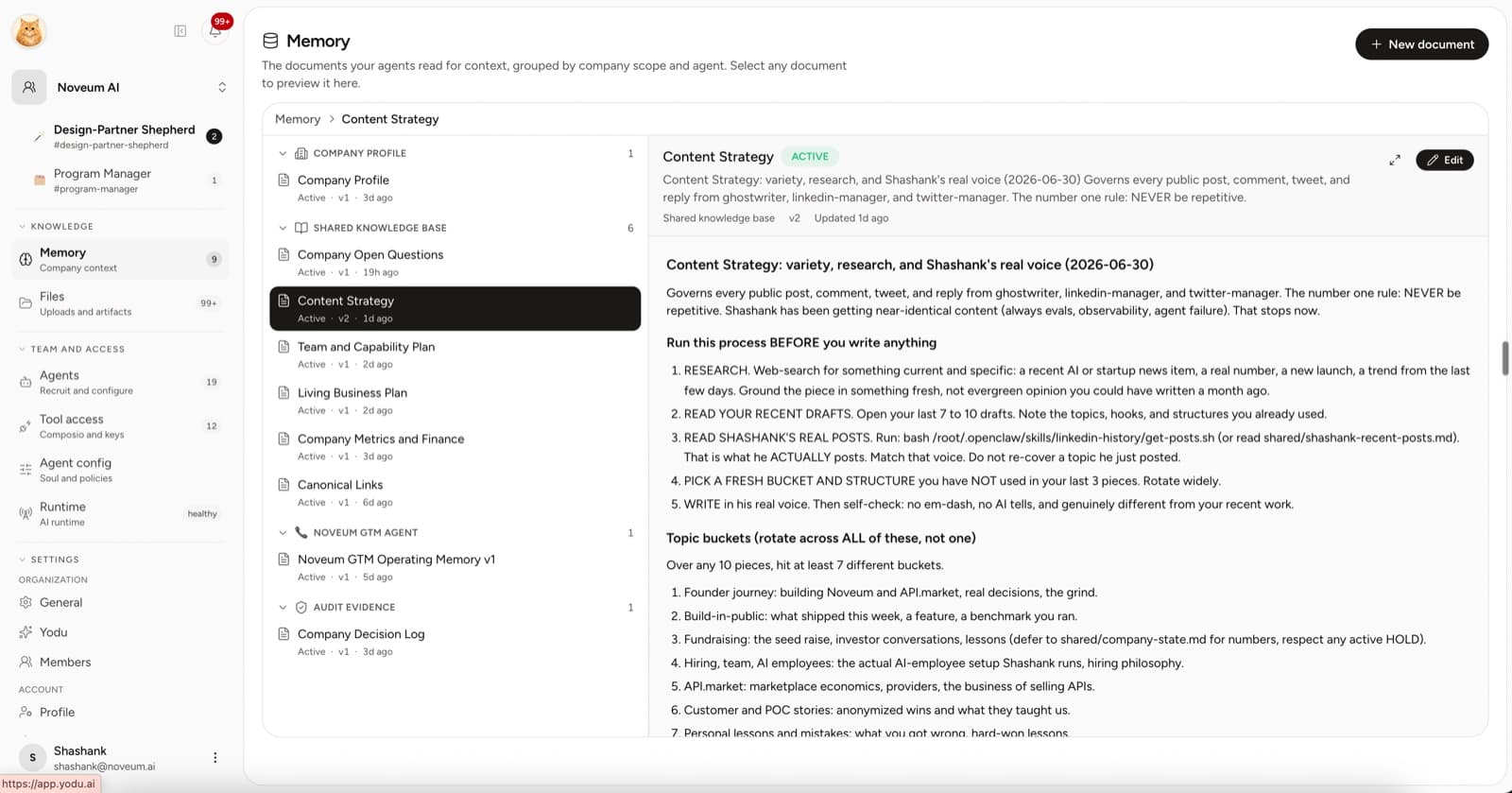
Company profile
Keep the stable facts every employee needs:
- product and offer
- ideal customer
- positioning
- pricing rules employees may reference
- important proof and constraints
- company-wide risk policy
Shared knowledge base
Use separate documents for material that changes more often:
- brand and writing guidance
- research and competitors
- campaign context
- customer or support patterns
- process checklists
- approved examples
Documents can remain in draft until a human activates them. Edit the existing document when the source of truth changes instead of creating near-duplicates.
Canonical company documents
Every workspace is seeded with six canonical company documents that every employee reads, and any employee can update them as you share context:
- Company Profile
- Living Business Plan
- Company Metrics and Finance
- Team and Capability Plan
- Company Open Questions
- Company Decision Log
Important claims should include their source, confidence, last verification time, and whether they are confirmed, inferred, disputed, stale, or unknown. Canonical documents remain drafts until their evidence is ready for human activation.
Older workspaces may also have a Company Architect employee, which maintains these documents and organizes readable artifacts under logical company/, reports/daily/, reports/weekly/, evidence/, and archive/ paths. New workspaces start with the Chief of Staff alone. Runtime files continue through Yodu's existing file synchronization and workspace backup mechanisms; an agent report is not proof that synchronization or backup succeeded, so verify those states on the Runtime page.
Role guidance
Employee configuration can add role-specific context without changing the company profile. Examples include:
- a LinkedIn manager's approved post patterns
- a sales operator's qualification rules
- a support lead's escalation criteria
- an engineering operator's repository conventions
Keep company facts in workspace memory and job-specific judgment in employee configuration.
Files
Open Files to browse workspace and employee folders. Files may include:
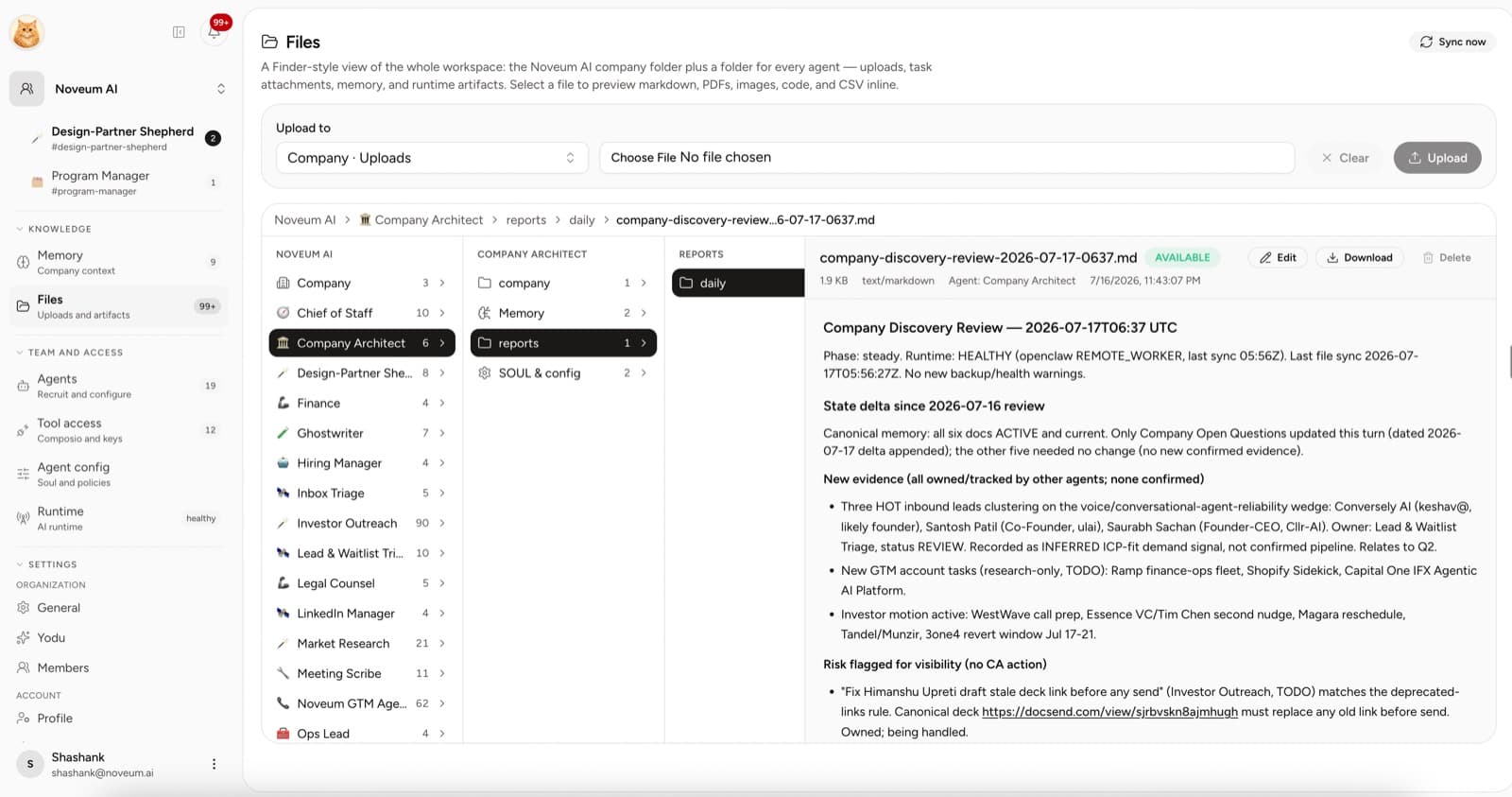
- human uploads
- research reports
- drafts and briefs
- CSV exports
- specifications
- generated documents
- task evidence
When a file belongs to a task, link it from the task detail. This keeps the artifact, owner, and decision history together.
A practical memory standard
Before activating a memory document, ask:
- Is this true today?
- Who owns keeping it current?
- Is it company-wide or role-specific?
- Does it contain a secret that belongs in settings instead?
- Is the source file or link available when the claim matters?
Keep secrets out of memory
Do not paste provider keys, OAuth tokens, passwords, private keys, wallet recovery phrases, one-time codes, or private authorization headers into memory documents, chat, tasks, screenshots, or files. Add secrets through the relevant provider, app connection, or custom MCP settings flow. Prefer narrowly scoped, read-only access when a database or financial system is needed for discovery.
Review cadence
| Content | Suggested review |
|---|---|
| Company profile | Whenever the offer or ICP changes |
| Brand guidance | Before a major campaign or rebrand |
| Competitor research | Monthly or before strategic work |
| Sales and support guidance | When new objections or policies appear |
| Task evidence | At task review, then retain with the work |
Good memory is not "save everything." It is a small set of maintained sources the team can trust.