
Role templates and skills
Hire AI employees from role templates, install reusable skills, and adapt each role to the work your company needs.
Role templates make it faster to hire a useful first employee. Skills add repeatable ways of working to that role.
Role templates
Open AI employees to browse the recruitment catalog. Templates are grouped by function and show whether a role is already active or available to recruit.
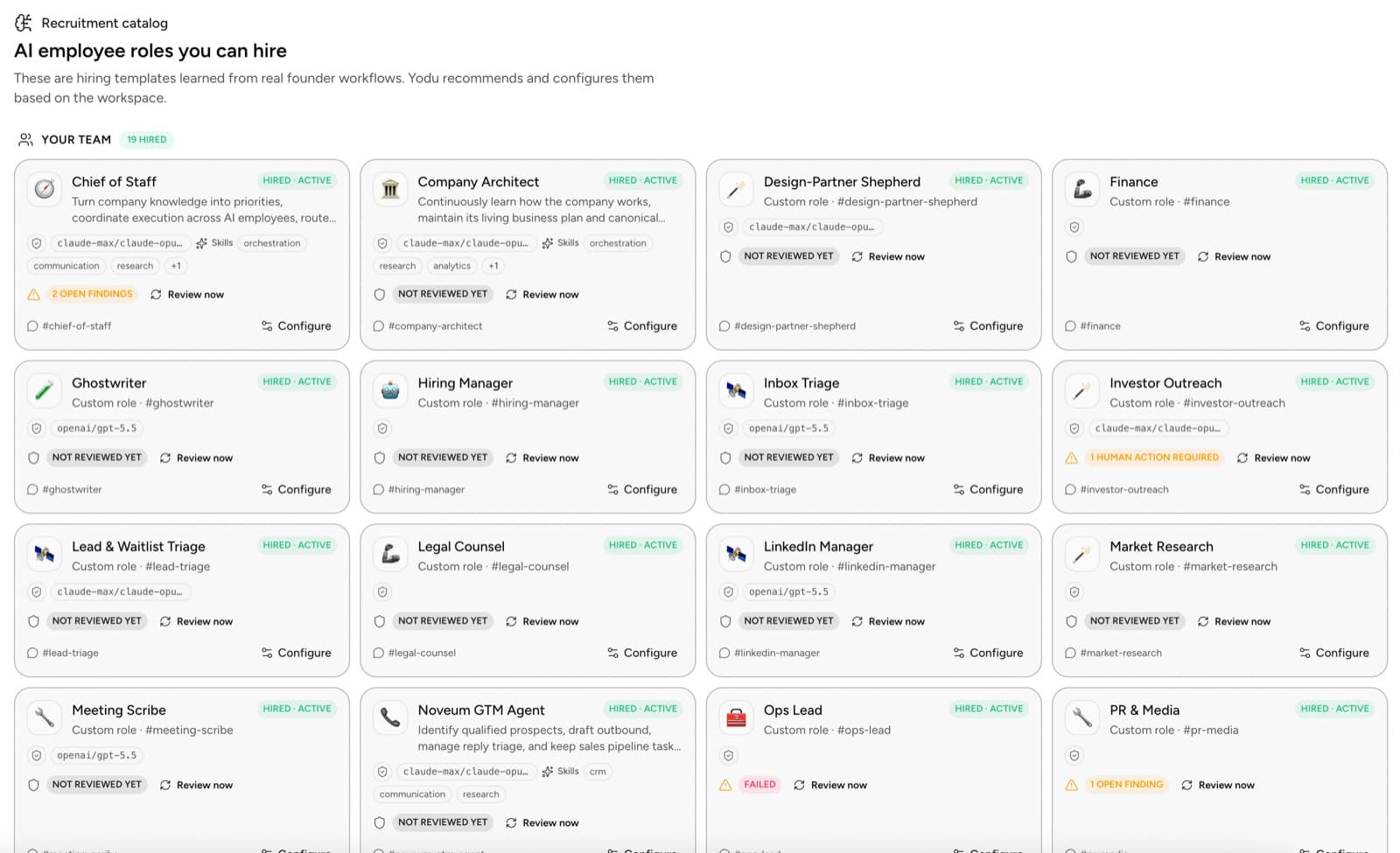
A template gives you a starting point for:
- job title and mission
- typical skills
- a suggested tool loadout
- likely tool categories
- expected outputs
- role-specific configuration documents
The template is not a permanent limitation. Change the name, responsibilities, instructions, model, tool switches, and schedules after hiring.
Choose the first role
Use the work itself to choose.
| Work you need to move | Good starting role | Safe first output |
|---|---|---|
| Market and competitor research | Research analyst | Sourced brief |
| Prospect and account preparation | Sales operator | Account notes and draft follow-ups |
| Founder-led content | Content strategist | Outline and first draft |
| Inbox and customer questions | Support lead | Triage summary and draft replies |
| Issues and repository context | Engineering operator | Investigation brief and proposed changes |
| Reconciliation and billing context | Finance operator | Review notes and exception list |
Start with an output a human can inspect. Expand the role after the first few tasks are consistently useful.
Skills directory
Open Tool access → Skills. The directory separates skills from connected tools:
- a tool lets an employee act in a system
- a skill explains how to approach a kind of work
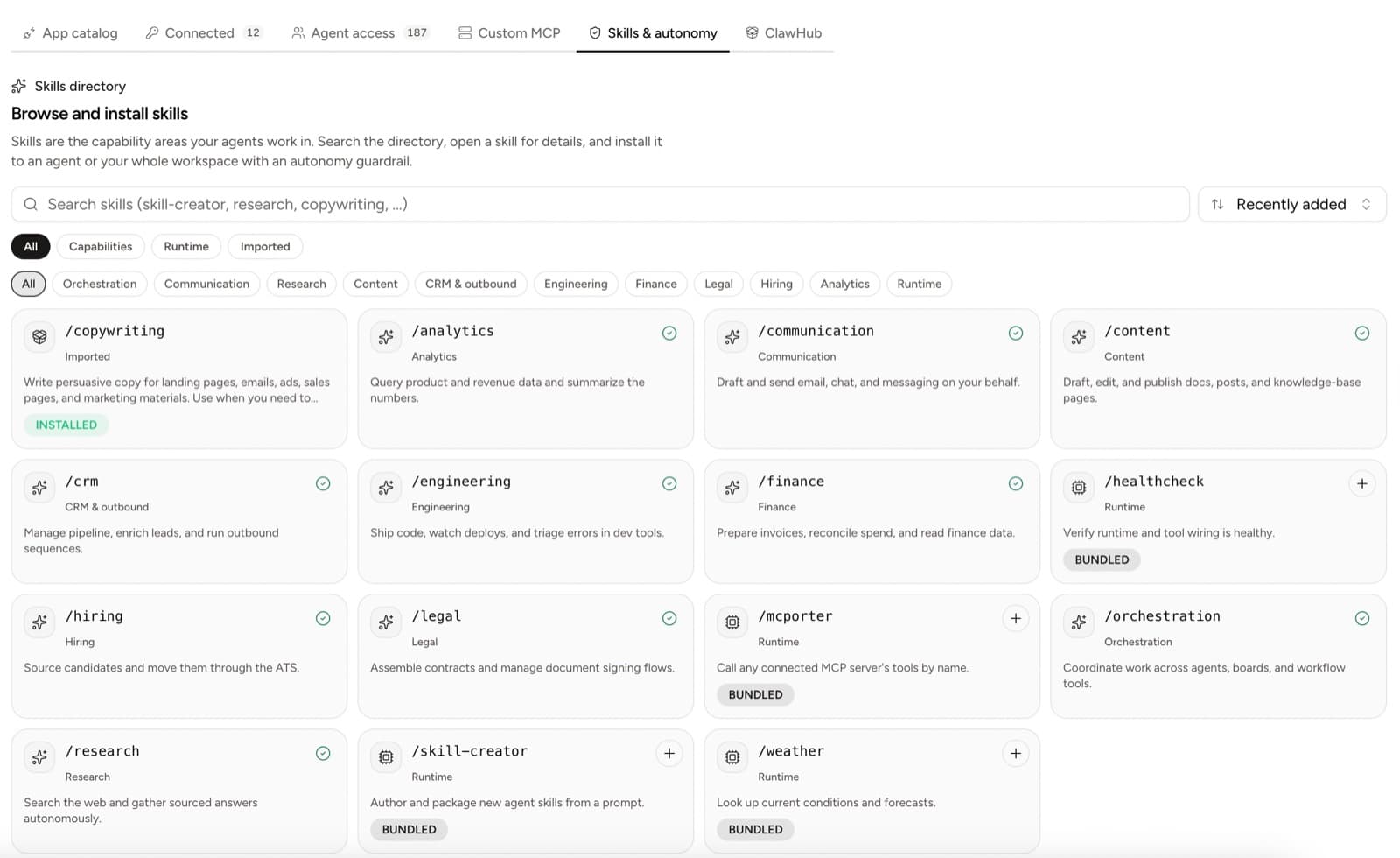
Built-in skill areas include:
- orchestration
- communication
- CRM and outbound
- content
- research
- engineering
- finance
- legal
- hiring
- analytics
Bundled runtime skills can help create new role playbooks or discover tools exposed by a connected MCP server.
Install a skill
- Search or filter the directory by function.
- Open the skill to review its purpose.
- Install it for one AI employee or for the workspace when appropriate.
- Disable its switch for employees who should not see it.
- Assign a task that proves the skill on a real input.
Installing a skill does not automatically enable Gmail, GitHub, Stripe, or another app. Tool access is a separate per-employee switch.
Write a custom skill
A useful skill should answer:
- What job does this cover?
- What inputs are required?
- Which company context should be consulted?
- What output should be created?
- What quality checks apply?
- Which actions need human review?
Example:
# Customer call follow-up

Use the call transcript and company profile to produce:

1. a five-bullet summary
2. decisions and open questions
3. CRM note draft
4. customer follow-up draft

Never send the email or change the CRM without approval.
Keep the skill narrow. A small playbook that produces one reliable output is easier to improve than a large instruction that tries to run an entire department.
Skills and tool switches
The same skill can be enabled for one employee and disabled for another. Scope by what the role needs to see, not the employee's job title alone; whichever employee runs the skill, its risky actions still stop at the approval gate.
After installation, review the first tasks for clarity, source use, output quality, and unnecessary tool access. Update the skill or role configuration when the same correction appears more than once.
Always-on defaults: human writing and identity
Every employee, in every workspace, ships with two defaults you do not have to configure:
- The
human-writingskill sits in the baseline loadout next tomcporter. It teaches the employee how to avoid AI-detectable writing (em dashes, AI-tell vocabulary, over-polished structure) and includes a self-check it runs before anything an outside human will read. It cannot be removed per employee, and a ClawHub import cannot replace it. - Every employee's
AGENTS.mdstarts with an enforced "Who you are" block: it is an AI employee at your company, its teammates are AI employees, everyone outside the team is human, and the company is run by its human owner through the team. The block carries the core writing rules, so they apply even if you rewrite the system prompt.