
Content and SEO workflows
Configure an AI content employee to research, draft, review, publish, and refresh useful search content with sources and approvals.
Use this workflow when you want an AI employee to help produce search content without turning the process into unsupervised bulk publishing.
The employee can research, outline, draft, and prepare refreshes. A human still owns the audience, factual standard, product claims, final approval, and publishing decision.
Start with one content employee
Open AI employees and recruit a content strategist, research analyst, or another role that matches the work.
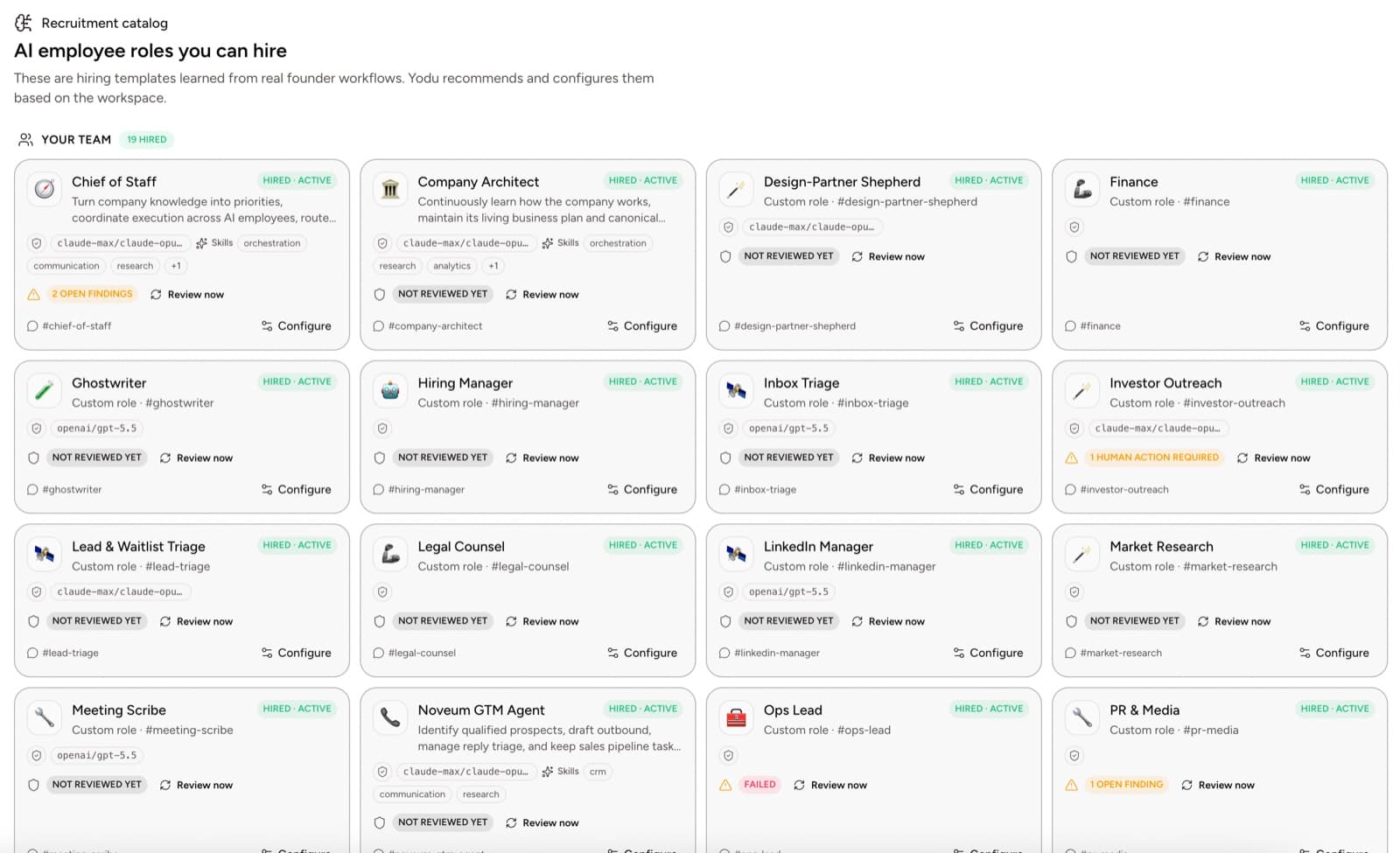
Give the employee a narrow first mission:
Produce source-backed articles that answer one founder question, use real Yodu product evidence, and reach human review before publication.
Do not start with a quota such as ten articles per week. Start with one article that establishes the standard.
Add company context
In Memory, provide the material that should remain consistent across assignments:
- company name, category, and one-sentence description
- ideal customer profile
- product capabilities that are available now
- unsupported or planned capabilities that must not be presented as live
- preferred terminology, voice, and spelling
- approved calls to action
- competitors and positioning boundaries
- security, privacy, and legal restrictions
- links to the current documentation and product pages
Keep evidence for a specific article on its task. Keep durable company truth in shared memory.
Configure model access
Open Organization settings → Yodu and configure the model provider the workspace will use.
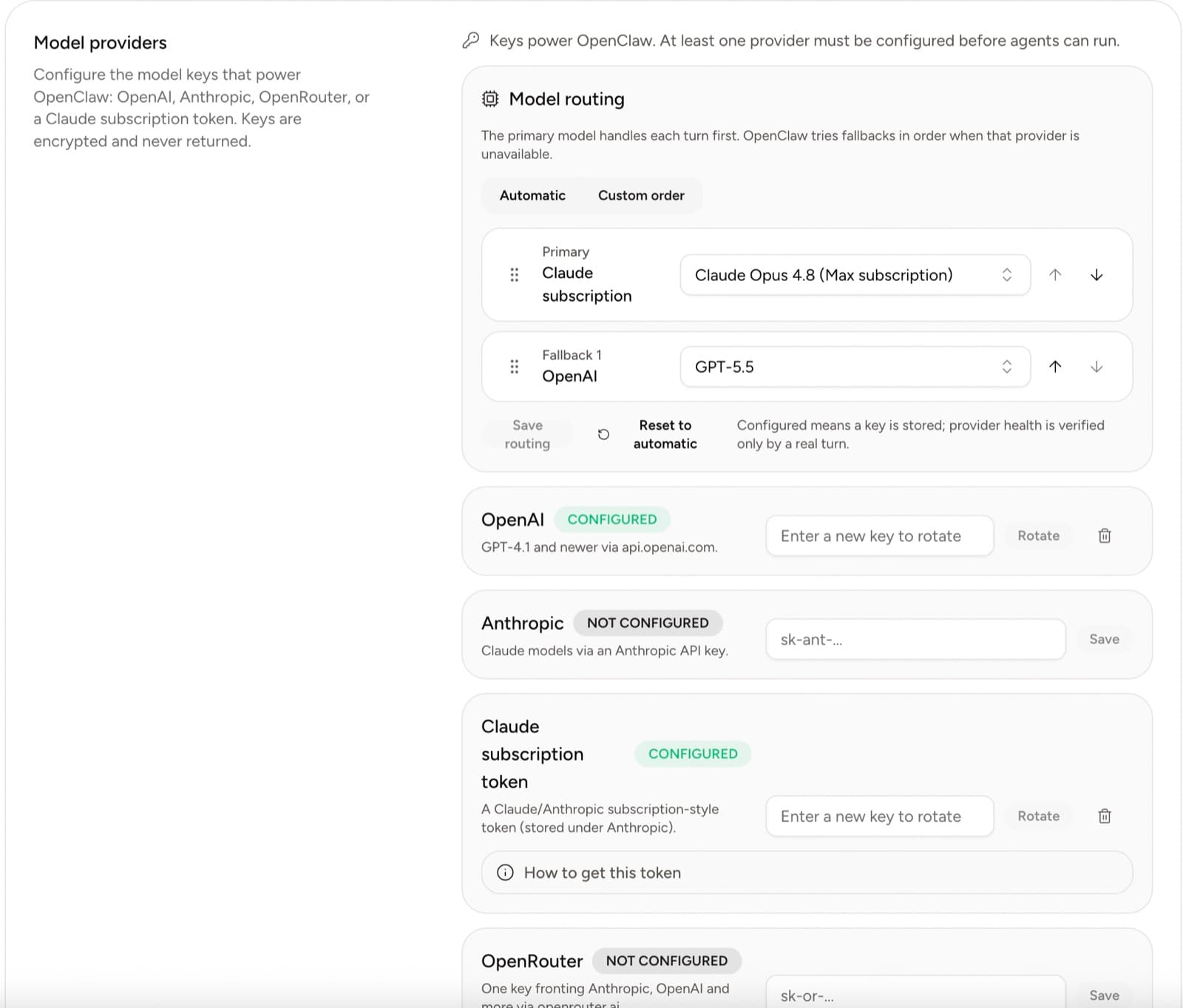
Choose a model that can reliably follow long source material and structured editorial requirements. Do not expose provider credentials inside prompts or content files.
See Model access for provider setup and rotation.
Connect research and publishing tools
Open Tool access → App catalog. Connect only the accounts needed for the first workflow.
Possible connections include:
- a research or web-search capability
- Google Drive or another source-document store
- GitHub when content lives in a repository
- a CMS or custom publishing API
- analytics and search-performance sources
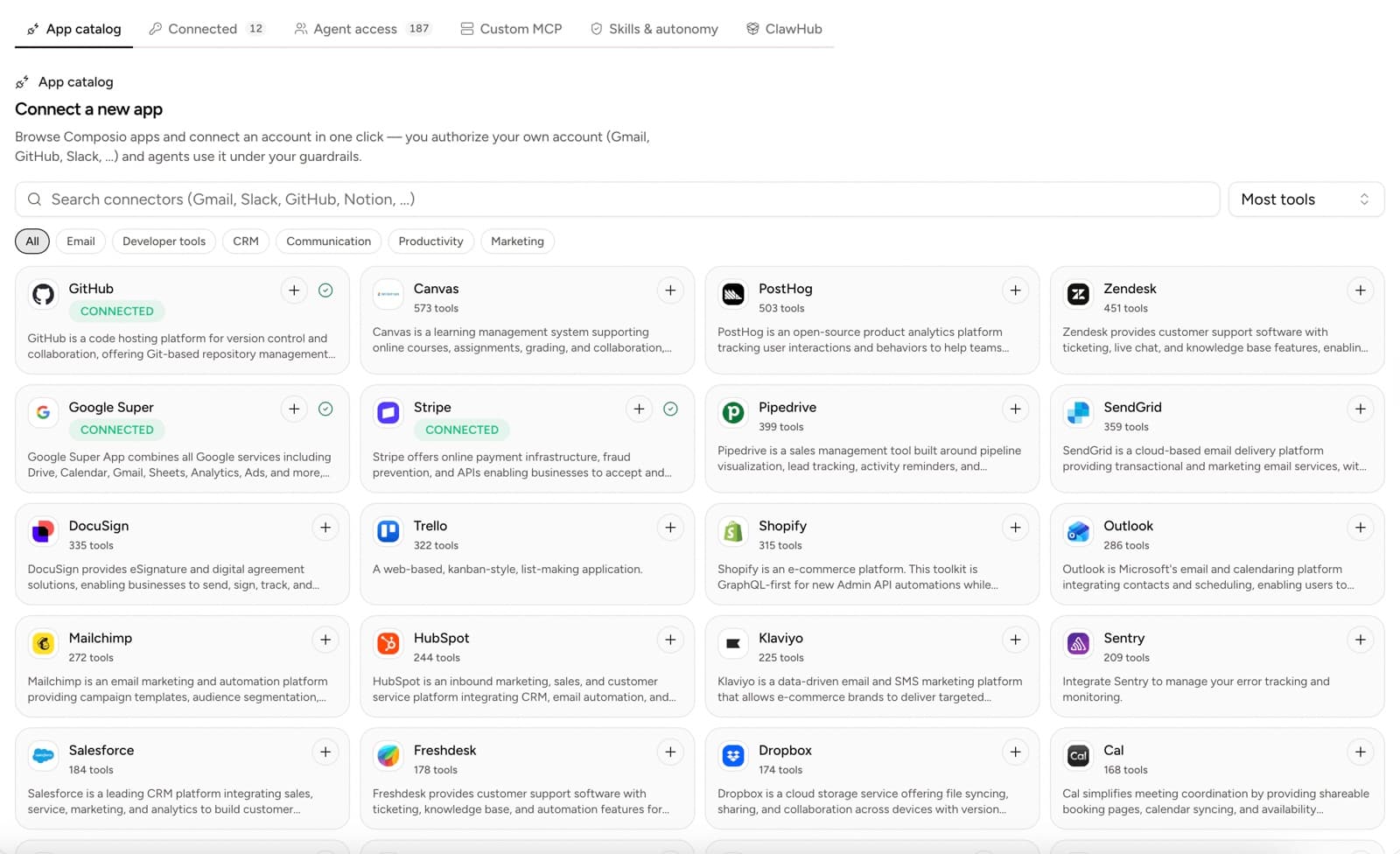
Connection and permission are separate decisions. A connected account does not need to be available to every employee.
Enable only the tools the content role needs and disable the rest of its switches. Use Ask first for publishing, repository writes and production changes. Test the gate, review each proposed action until the workflow is proven, and hold off on session allowances.
Install or write the content skill
Open Tool access → Skills and review the available content and research capabilities.
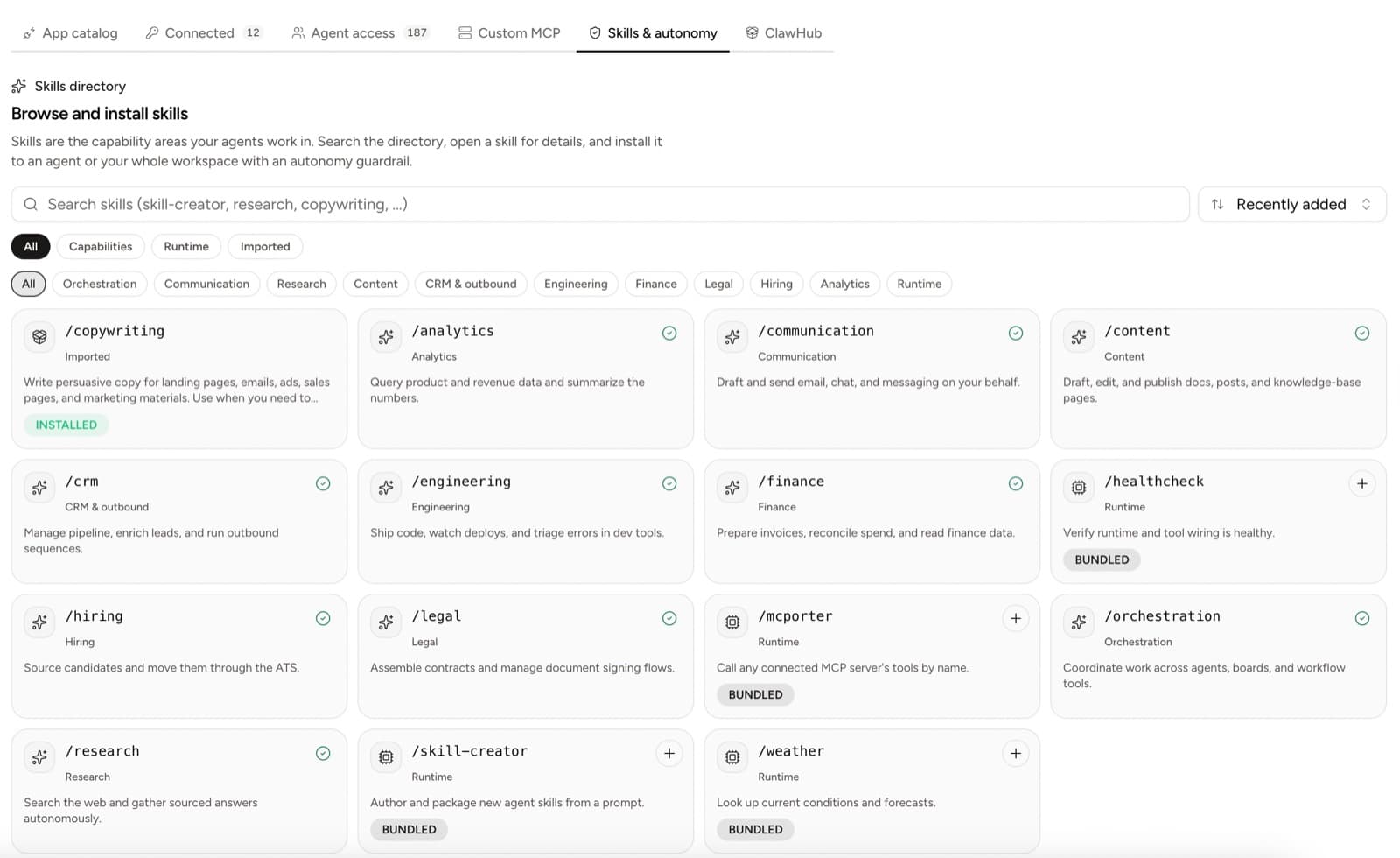
A useful search-content skill should define:
- the audience and one primary query
- the decision or task the reader must complete
- the required source hierarchy
- the claim ledger for every number
- the outline and direct-answer format
- screenshot requirements
- internal-link expectations
- product-claim verification
- metadata and structured-data checks
- the human approval boundary
Example skill contract:
# Source-backed product article

Use when a founder question deserves a practical Yodu article.

Before drafting:

1. Define one primary query and reader outcome.
2. Read the current product and documentation.
3. Collect at least two original sources for research-led claims.
4. Record the source, date, scope, and caveat for every number.
5. Select authenticated screenshots that show the exact workflow.

The draft must include:

- a descriptive title
- a short introduction
- a 40-80 word Quick answer
- descriptive H2 sections
- contextual internal links
- factual image alt text
- one specific next step

Never invent product features, customer results, testimonials, rankings,
integration counts, security guarantees, or ROI.

Return the article for human review. Never publish without an approval decision.
Test the skill with one normal brief, one brief missing an essential source, and one brief containing an unsupported product claim. The employee should ask for evidence or refuse the claim rather than fill the gap.
Create the editorial task
Open Task board and add the article to Triage.
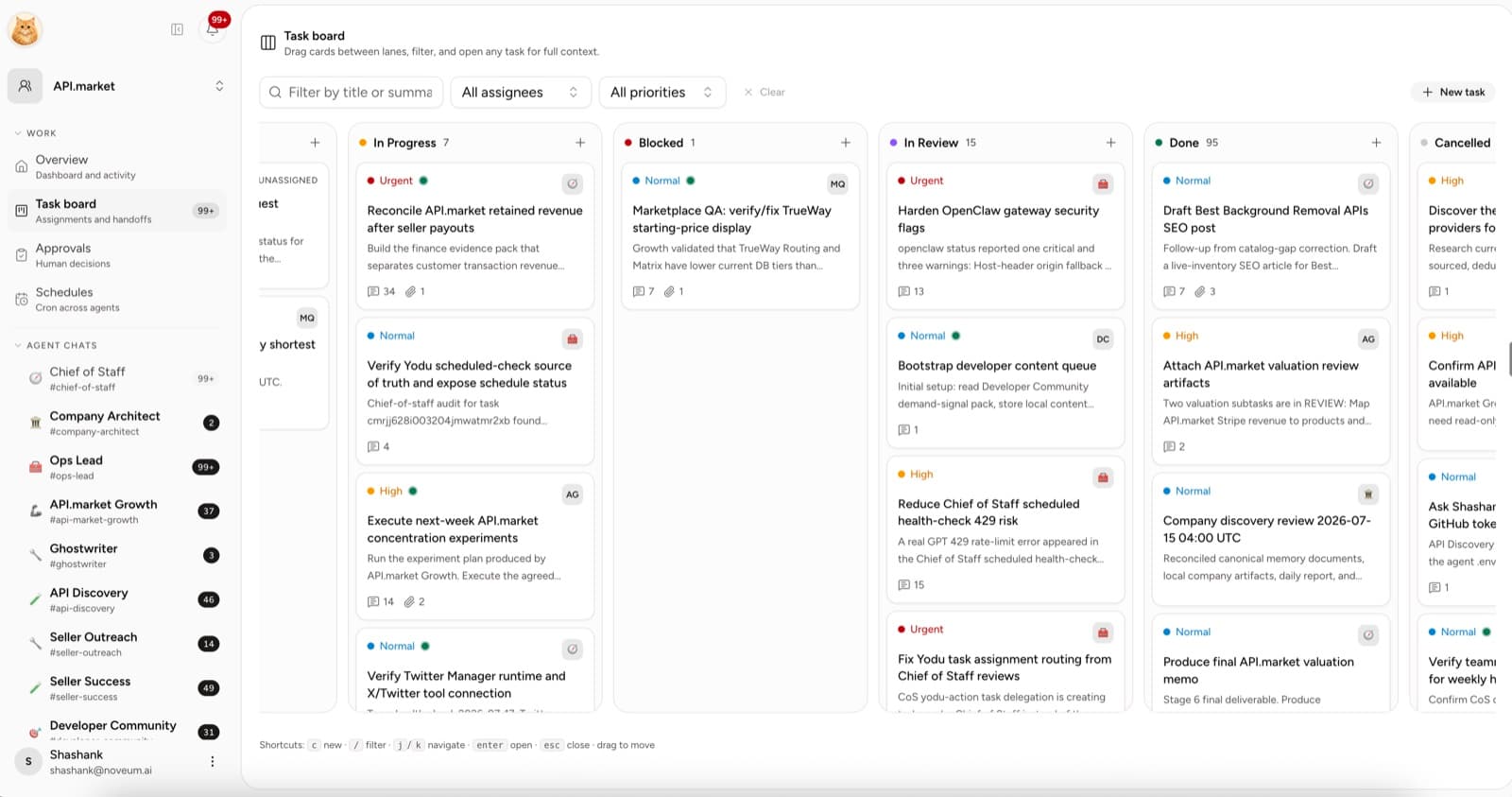
The task should contain:
- proposed query and reader
- reason the article belongs on the Yodu site
- source links and claim ledger
- product screenshots
- relevant documentation and existing articles
- required output path and format
- reviewer
- due date
- acceptance criteria
Move the task to Backlog when the evidence and product relevance are clear. Assign it to the content employee when the work is ready.
Review the draft
Use In review for the editorial and technical check.
Editorial review
- Does the opening answer the actual query?
- Is every statistic linked to its original source?
- Does each claim keep its sample, date, sponsorship, or other caveat?
- Does the article add product experience rather than summarize other pages?
- Are screenshots real, current, cropped, and free of secrets?
- Are product statements verified against the current application?
- Is the call to action a natural next step?
Search and technical review
- one descriptive H1
- unique title and description
- canonical URL
- accurate publish and modified dates
- crawlable server-rendered text
- useful internal links
- matching Article or BlogPosting structured data
- Open Graph and Twitter card
- sitemap entry with honest
lastmod - responsive images with dimensions and descriptive alt text
- acceptable Core Web Vitals on mobile
Search systems do not guarantee indexing or ranking. These checks make the page eligible, understandable, and useful.
Publish with approval
The final publish or merge action stops at the approval gate. Review it there every time; do not settle it with a session allowance.
For repository-backed content:
- let the employee prepare the file or branch
- run formatting, type, content, and link checks
- review the rendered preview
- approve the pull request
- let the existing deployment workflow publish it
See GitHub code workflows for repository permissions and merge controls.
Refresh from evidence
Create a recurring review only after the first manual article succeeds. A refresh task should open when:
- a cited source or standard changes
- the product screenshot no longer matches the UI
- a feature is added, removed, or renamed
- search data shows the page answers the wrong query
- links fail
- a factual or legal correction is required
Do not update the date merely to look current. Change lastModified only when the visible content changes materially.
Measure useful outcomes
Track the workflow rather than generated volume:
- accepted drafts
- major-rework rate
- unsupported claims caught before publication
- time from approved brief to reviewed draft
- indexed pages
- qualified organic visits
- waitlist or product conversions
- refreshes that improved reader or search outcomes
The article AI search optimization: a practical guide for businesses explains the evidence behind this workflow. Use How to measure the ROI of an AI employee to build the operating scorecard.
Role templates and skills
Hire AI employees from role templates, install reusable skills, and adapt each role to the work your company needs.
Email, document, image, and web artifacts
Choose the right employee output, distinguish drafts from delivery, and preserve evidence from creation through approval.