
Yodu documentation
Learn how to build and operate AI employees with persistent memory and files, skills, tools, MCP, scheduled work, approvals, and managed runtime infrastructure.
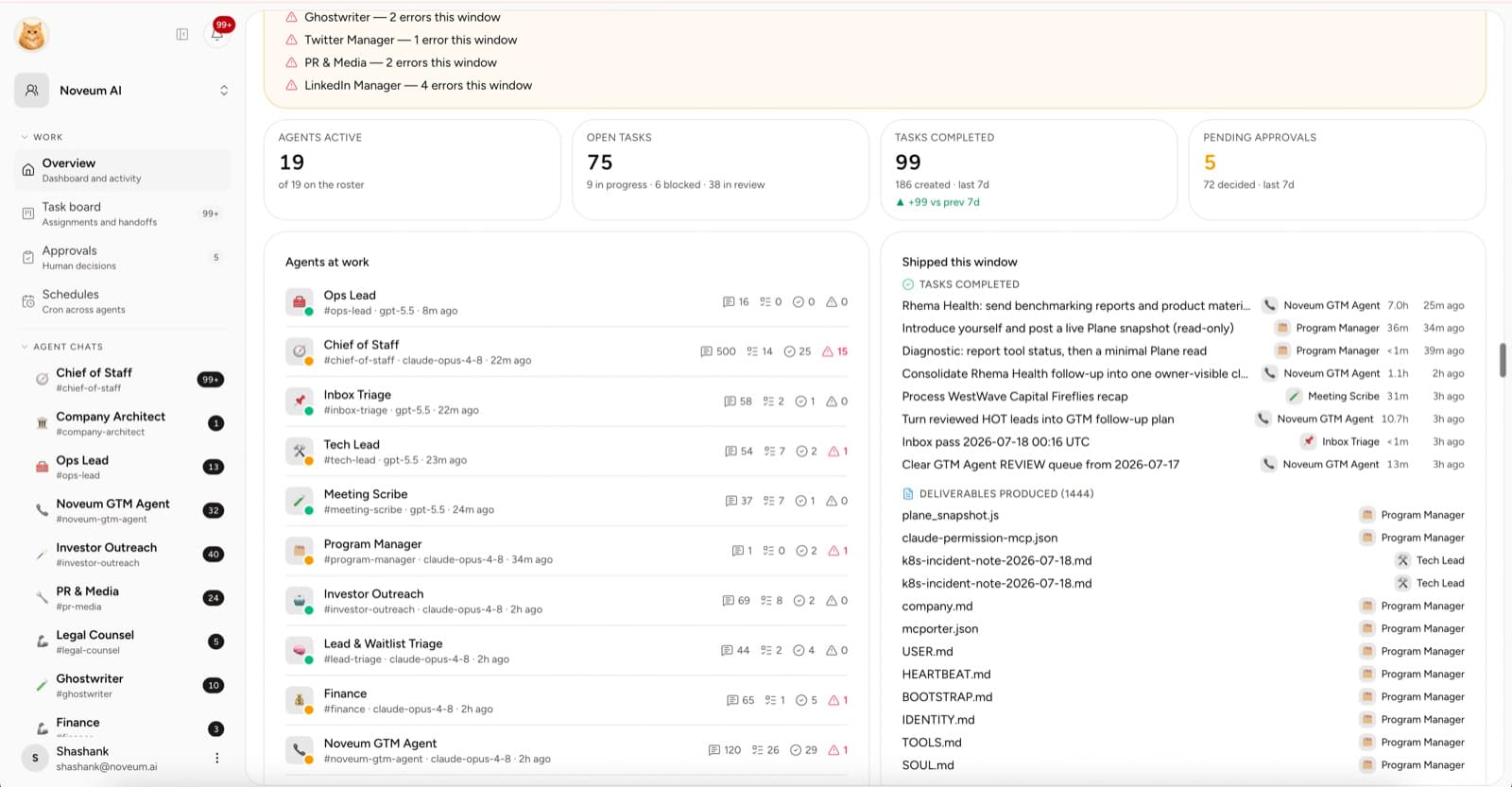
Yodu helps you build an AI team for your company. Each AI employee has a role, a focused channel, persistent context, installable skills, per-employee tool switches, assigned work, files, schedules, a human approval gate for risky actions, and a provisioned runtime workspace.
The goal is simple: move useful work out of a founder's head and into a system the whole team can inspect.
Start here
Not sure what to delegate? Use Choose your first workflow for example briefs and ways to measure value.
If this is your first workspace, follow this order:
- Create the first workspace.
- Add the company profile and shared knowledge the team should use.
- Configure model access for the workspace.
- Hire one or two AI employees around real bottlenecks.
- Connect one business app and disable its switch for employees who do not need it.
- Add a short backlog and one recurring schedule.
- Review the first outputs — and the first approval requests — before widening access.
Workspace owners can create an account and subscribe directly for $200/month from the first month. An application is optional. Apply for the Founding 10 to arrange personal account and AI employee setup from Shashank Agarwal, included for the first ten selected companies. Payment is required before onboarding; there is no free trial. Model and third-party service costs are separate. Follow Your first AI employee for the complete sequence.
Product map
| Area | Use it for |
|---|---|
| Command center | Talk to AI employees and inspect the context around their work |
| AI employees | Hire from role templates and configure the team |
| Task board | Move work through triage, backlog, execution, blocked, review, done, or cancelled |
| Approvals | Review sensitive actions before they run |
| Schedules | Create, run, pause, and inspect recurring work |
| Memory | Maintain the company profile and shared knowledge base |
| Files | Keep uploads and employee-created artifacts inside the workspace |
| Tool access | Connect apps, manage accounts, switch tools per employee, add MCP servers, and install skills |
| Employee config | Edit role instructions, memory, tool, runtime, schedule, and model policies |
| Runtime | Check workspace and employee runtime health |
| MCP & API | Operate one workspace from external clients through scoped, revocable keys |
| Members | Invite people and control who can administer the workspace |
Core guides
- Workspaces and AI employees
- Memory and files
- Role templates and skills
- Configure an AI employee
- Command center and notifications
- Task board and approvals
- Approvals and autonomy
- Security and trust
- How the platform runs
- Tools and MCP overview
- Skills and ClawHub
- Platform API and MCP
- Developer platform overview
- REST API quickstart
- Platform MCP quickstart
- Platform MCP tools
- Managed runtime and backups
- Model access
- Member access and roles
A useful first result
Do not measure the first week by the number of employees you create. Measure it by one completed, reviewable loop:
A workspace is becoming useful when you can answer: who owns the work, what context they used, what they produced, what needs review, and what happens next.