
Security and trust
How Yodu keeps AI employee work safe — dedicated container isolation, encrypted never-returned secrets, the human approval gate, per-employee tool switches, scoped access, and backup evidence.
Yodu's trust model rests on four layers that work independently: workspace isolation at the runtime, encryption for every stored secret, a human approval gate in front of risky actions, and per-employee switches that control what each AI employee can see at all. Each layer must be verified for the intended workflow; one control does not prove another is correctly configured.
Isolation by design
Each workspace runs OpenClaw in its own Docker container on Yodu's managed runtime host. Nothing else shares that container: not another company's workspace, not another client boundary you separated deliberately.
The container is reached only through Yodu's command queue. Runtime ports stay private; the app never dials into the container directly. A sidecar worker makes outbound requests, claims bounded commands off the queue, and reports results and heartbeats back. If the worker stops heartbeating, the Runtime page shows it — silence is visible, not hidden.
| Boundary | What it separates |
|---|---|
| Workspace container | One company's employees, files, and runtime state |
| Command queue | The app from raw runtime access |
| Employee switches | What each employee inside the workspace can see |
| Approval gate | Prepared work from external or irreversible effects |
Secrets are stored, never shown
Model provider keys, connected-account credentials, and workspace secrets are encrypted at rest and never returned — not in the UI, not by the API, not by any Platform MCP tool. list_secrets returns names and metadata only.
The operating rule is rotate, don't retrieve. Enter a new value to replace access; there is no control that displays the old one. A Configured badge means an active stored secret exists — it does not claim the key currently works. A real employee turn is the end-to-end check.
Runtime gateway credentials are excluded from workspace backup archives, and provider secrets stay encrypted references rather than plaintext copied into employee files.
An explicit exposeToAgents setting is a separate trust decision: selected workspace or employee secrets can be projected into the sandbox environment for employee scripts to read. Management tools still return metadata only. Do not enable sandbox exposure for a credential the employee should not possess. See Automation recipes.
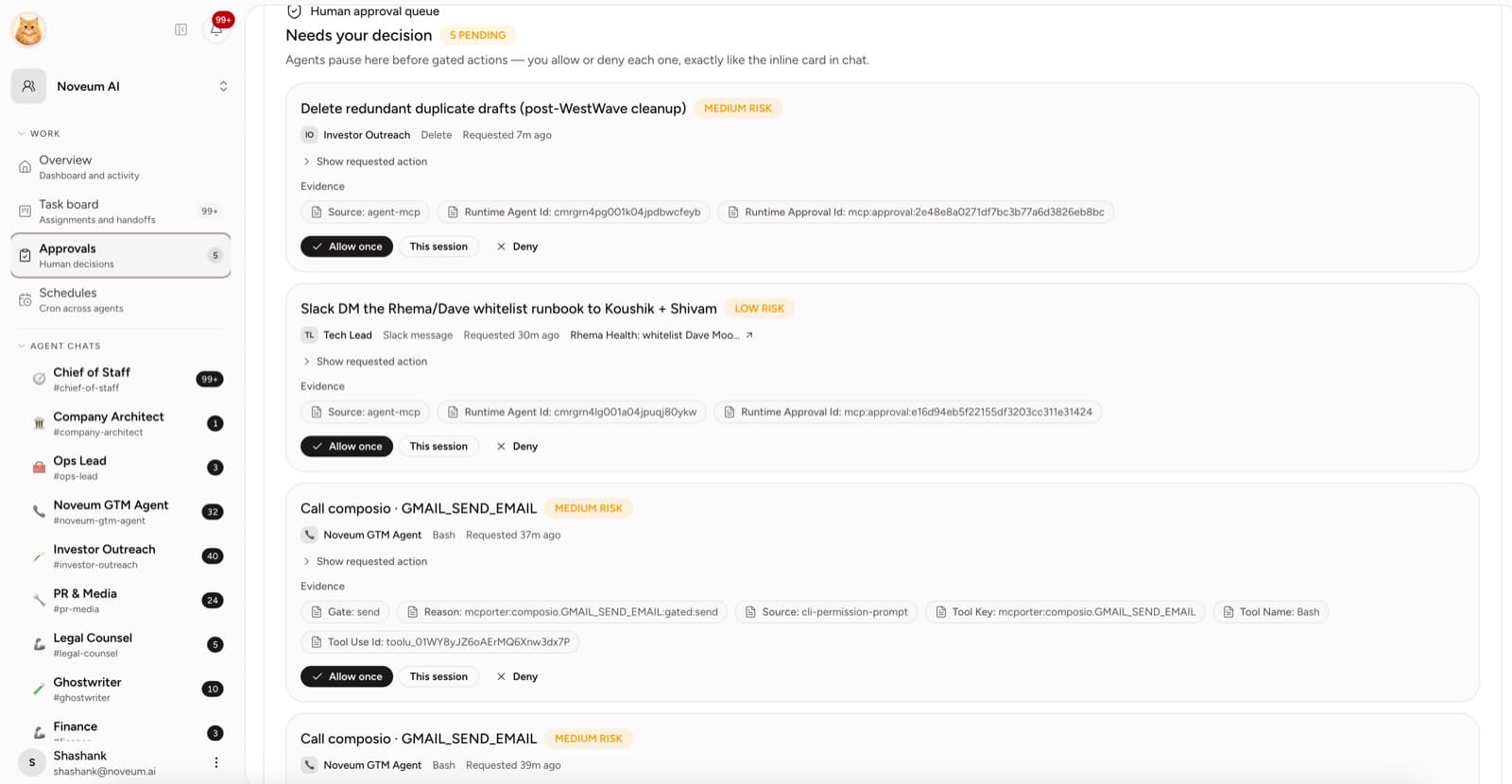
The approval gate
Employee permission modes determine when approval is required. Draft only limits work to research and drafts; Ask first requests approval before external or irreversible actions. Auto permits routine actions while retaining destructive-action review. Full autonomy grants broader execution, including irreversible actions, and requires deliberate confirmation.
For founding onboarding, start with Draft only or Ask first and test both an approval and a rejection before enabling recurring external work. Tool access, provider scopes and employee autonomy are separate boundaries. See Connecting a tool safely.
Per-employee tool switches
Every connected app and custom MCP server is a switch per employee: enabled by default, or disabled entirely. A disabled tool is hidden — omitted from that employee's TOOLS.md, and for custom MCP servers, removed from the employee's private mcporter registry. The managed tool configuration omits it; verify the resulting access before relying on the boundary.
Use switches for role boundaries, not risk decisions — the gate carries the risk. See Tool access per employee.
Who gets in
- Your accounts stay yours. Business apps connect through OAuth via the Composio catalog. Yodu holds the resulting credential encrypted; employees use it without ever seeing it.
- Workspace members hold owner, admin, or member roles. Provider secrets, employee configuration, and runtime repair require owner or admin. See Member access and roles.
- External clients reach one workspace through scoped, revocable API keys at
https://app.yodu.ai/api/mcp— works with Claude Desktop, Claude Code, and Cursor. Every key derives its workspace from verification; no tool accepts an organization ID.
Backups with evidence
Workspaces get scheduled backups, plus a fail-soft safety backup before stop, restart, and provision operations. The Runtime page shows when the last archive ran, its size, its recorded file count, and a freshness status — evidence you can check, not a checkbox you trust.
Backup evidence proves an artifact with measurable contents exists. It does not by itself prove a full recovery meets a recovery-time objective; a tested restore into a scratch location remains the operator's job. See Managed runtime and backups.
Verify it yourself
A short trust review for any workspace:
- Open Runtime and confirm worker heartbeat, container state, and backup freshness.
- Open Approvals and confirm a human owner is actually reviewing the queue.
- Open Tool access → Employee access and confirm each employee's switches match their role.
- Confirm no secret value is visible anywhere in the UI — only names, badges, and rotation controls.
- Send one risky test instruction and confirm it stops at the gate instead of running.
If any of those checks fails, fix it before adding more employees or higher-risk work.
Managed runtime and backups
Understand how Yodu provisions AI employee workspaces, reports runtime health, executes scheduled work, and records workspace backup evidence.
Product tour
A text tour of Yodu's current company workspace, employee channels, work board, memory, files, tools, skills, schedules, approvals, and runtime controls.