
Tool access per employee
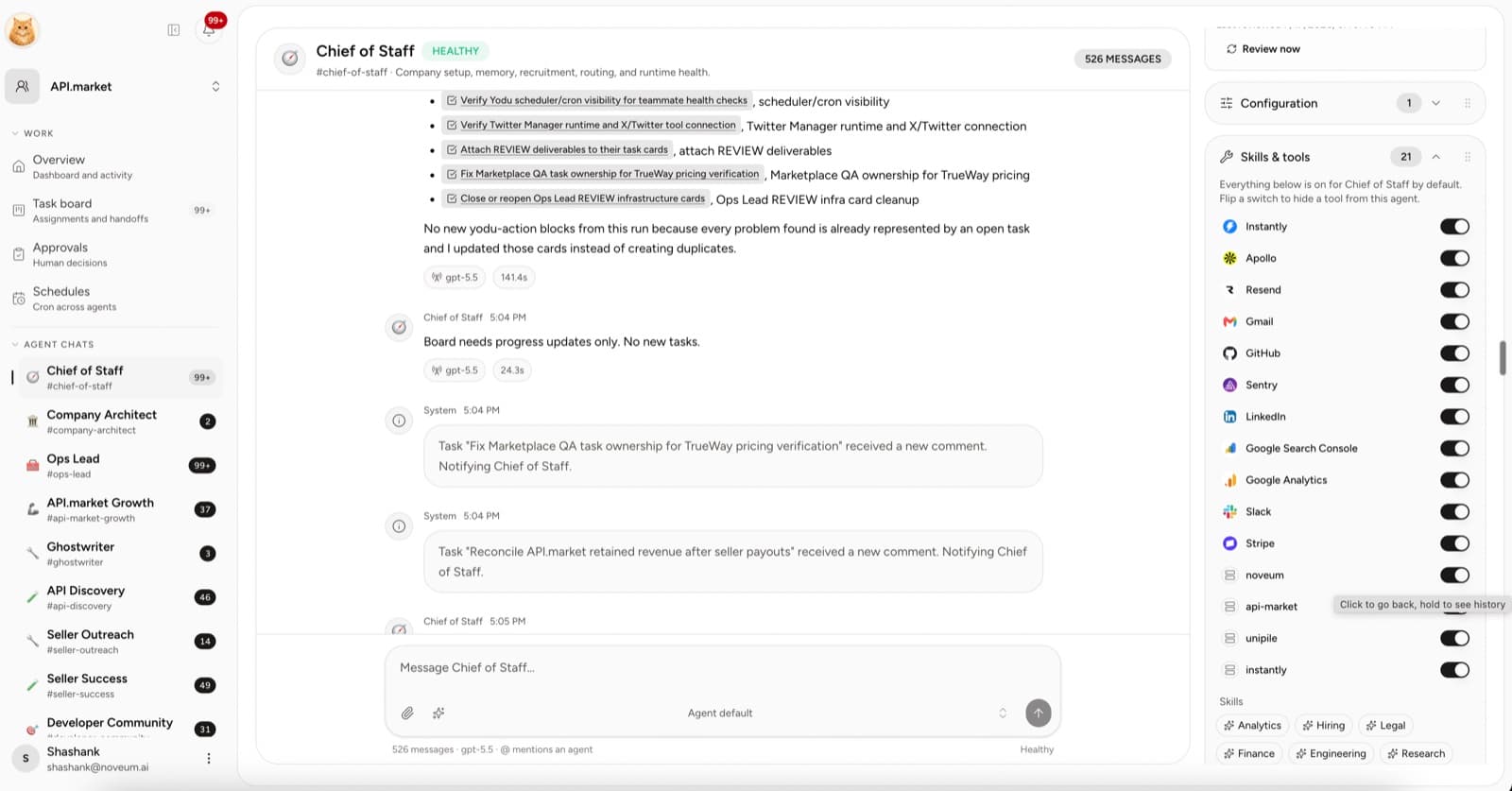
Every connected app and MCP server is a per-employee switch — enabled means the employee can see and use it, disabled hides it entirely. Employee permission mode determines which actions require approval.
Tool access answers one question per employee and capability: should this employee see this tool at all? Everything else — the safety of what an employee does with an enabled tool — is handled by the approval gate, not by per-tool modes.
The model
| State | Employee may | When to use |
|---|---|---|
| Enabled | See the tool and use it, within the approval gate | The default — every connected app starts enabled |
| Disabled | Nothing — the tool is hidden from the employee entirely | Role boundaries, incidents, sensitive accounts, cleanup |
Two things make this safe:
- Choose the permission mode separately. Start with Draft only or Ask first. Ask first requests a decision for external or irreversible actions; Auto and Full autonomy allow broader execution. Verify the boundary with a harmless test before scheduling work.
- Disabled means invisible. A disabled tool is removed from the employee's runtime configuration; the managed tool configuration omits it. Verify the resulting access before relying on the boundary.
Flip a switch
- Open the employee's channel and find Skills & tools in the right rail (or open Tool access → Employee access).
- Each connected app and custom MCP server has a switch.
- Flip it off to hide the tool from this employee; flip it on to restore access.
- Changes reach the running employee on its next provision.
Suggested boundaries
| Role | Keep enabled | Consider disabling |
|---|---|---|
| Research analyst | Web, shared files, read-heavy tools | Billing and CRM write tools it never needs |
| Sales operator | Gmail, CRM | Code and infrastructure tools |
| Content strategist | Docs, CMS, web research | Finance and billing tools |
| Finance operator | Stripe, spreadsheets | Social publishing tools |
| Engineering operator | GitHub, error tracking | Payment and outbound email tools |
Treat this as a starting point. The goal is a tight surface per role — not because an enabled tool is dangerous (approvals cover that), but because a smaller toolset keeps each employee focused and easier to reason about.
Review questions
- Does the role still need to see this capability?
- Is the connected account the correct one?
- Would an incorrect action affect a customer, money, code, or production data? If yes, start with Ask first and test the approval boundary.
- Is a human clearly responsible for approvals in this workspace?
Access should stay one decision per tool: on or off. The approval gate carries the risk judgment so the switches don't have to.
GitHub code workflows
Connect GitHub, grant scoped access to an engineering AI employee, and keep code changes inside the repository review process.
Connected accounts and employee access
Understand the difference between a workspace connection and an AI employee's tool switch, and where the approval gate carries the risk decision.