
Tools and MCP overview
Understand Yodu's app catalog, connected accounts, per-employee tool switches, custom MCP servers, and skills.
Open Tool access to manage everything an AI employee can use. The page has five tabs.
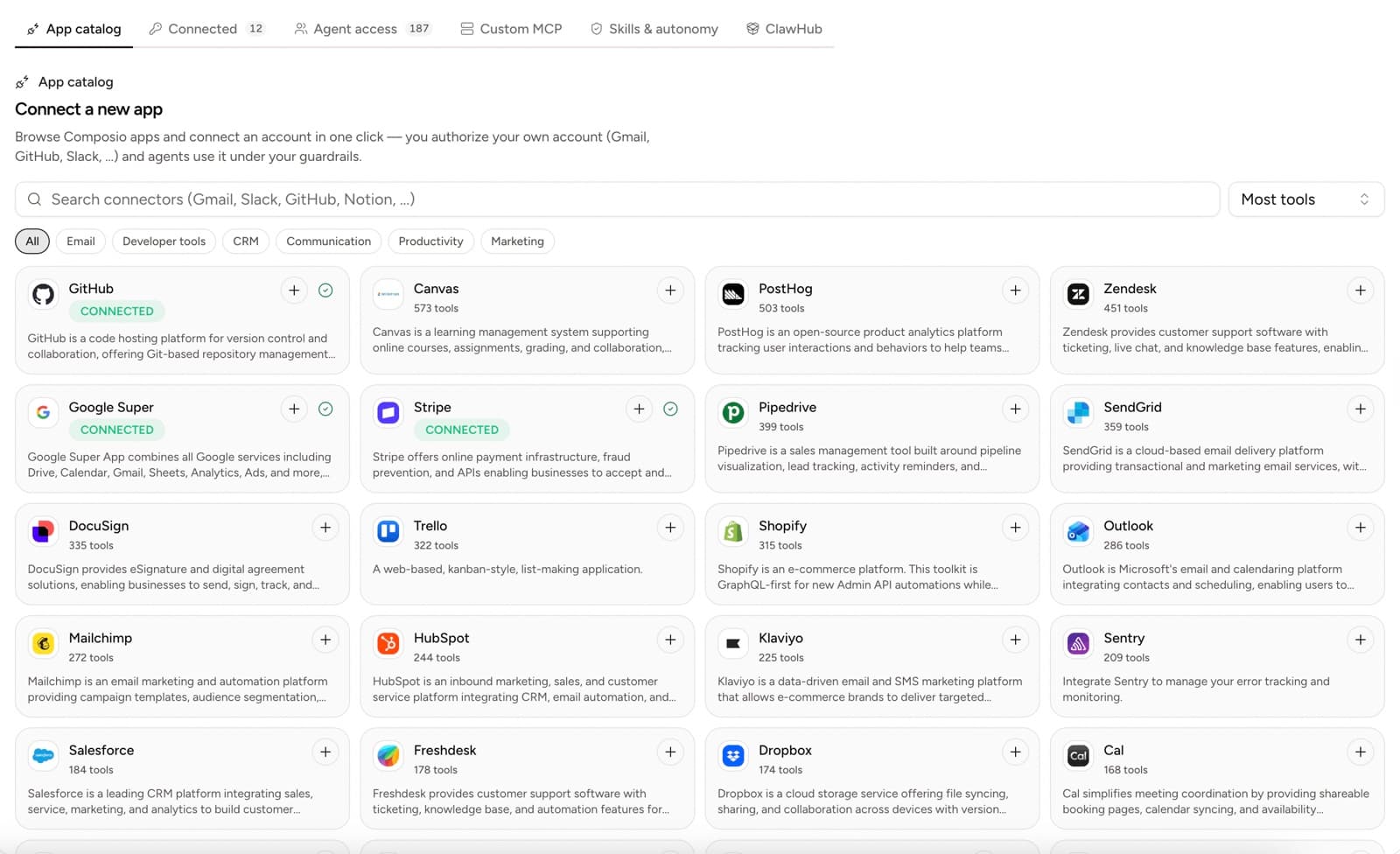
App catalog
Browse and search toolkits provided through Composio. Toolkits group the actions and authentication needed for an app such as Gmail, GitHub, HubSpot, Stripe, Outlook, Shopify, or Zendesk.
Use filters to narrow the catalog by email, developer tools, CRM, communication, productivity, or marketing. Selecting the add button starts the account authorization flow.
Connected
Connected accounts belong to the workspace. One app may have more than one account, such as two Gmail inboxes or separate GitHub installations.
The connected view shows:
- provider
- account label or reference
- connection state
- last verification when available
- reconnect and management controls
A connected account is not automatically available to every employee.
Employee access
The access tab shows every tool and skill switch grouped by employee. Everything starts enabled; flip a switch off to hide that tool from that employee entirely.
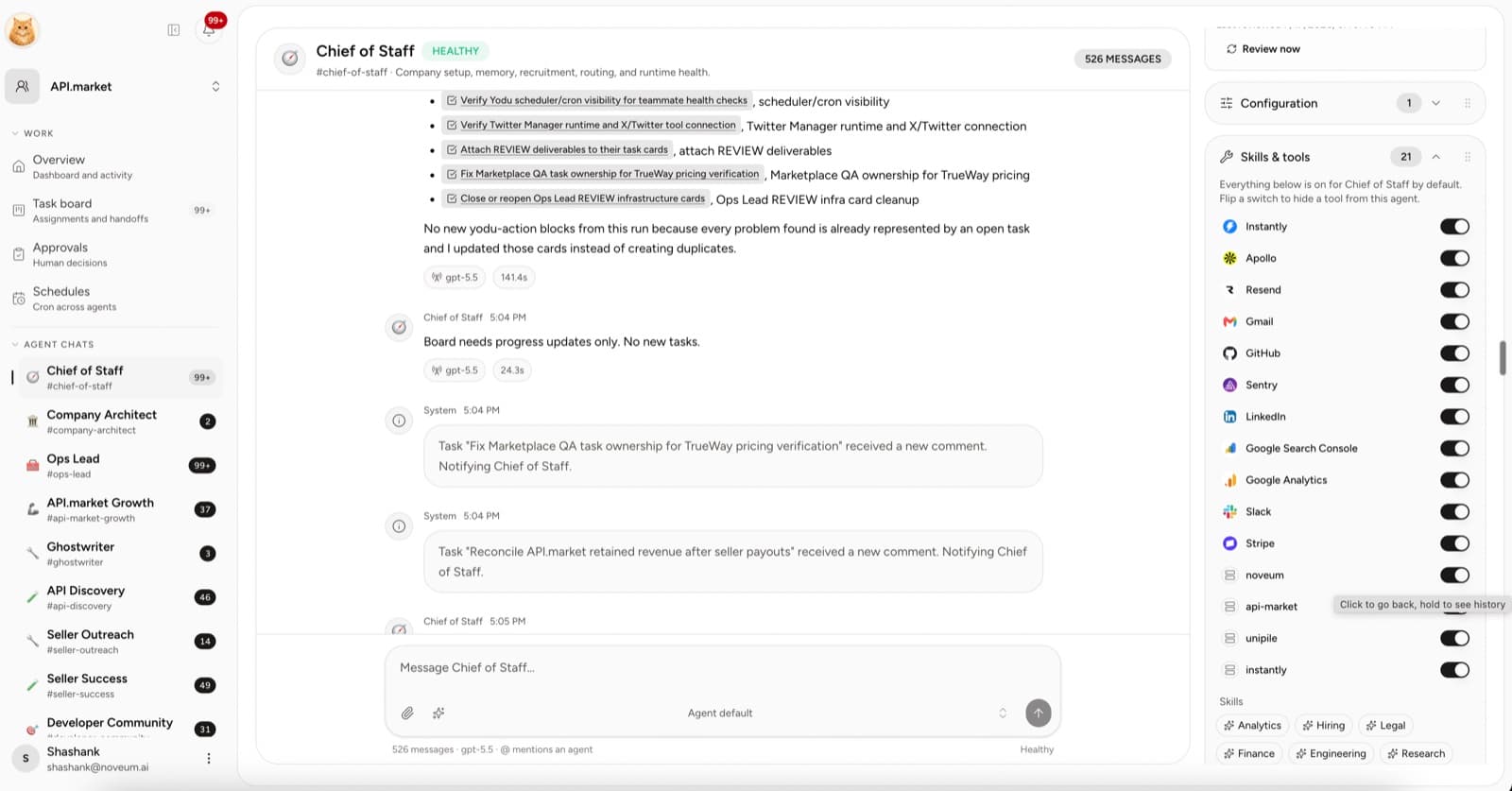
Use this view to:
- disable a connected account for employees that should not see it
- add a workspace-wide skill
- restore access by flipping a switch back on
- see which provider backs each tool
Custom MCP
Use a remote MCP server when the required system is not available in the app catalog or when your company exposes a private tool surface.
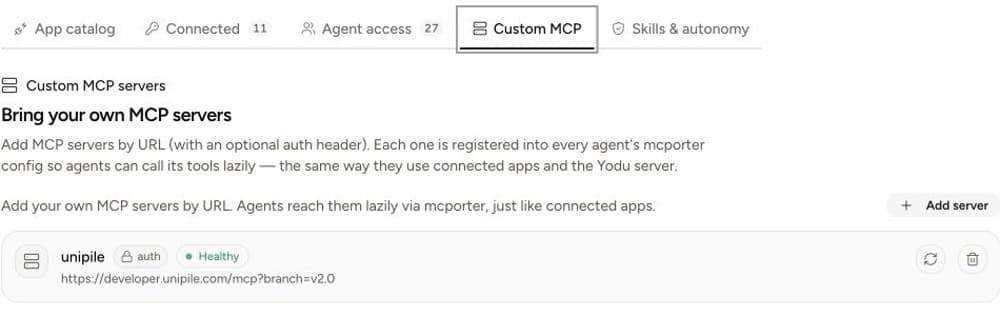
Register the HTTPS endpoint, store an optional authorization header, verify protocol health, and then switch its tools on or off per employee like any other connected capability. Disabling a custom server for an employee removes it from that employee's private registry.
Skills
Skills are reusable playbooks for doing the work. They do not contain an app credential.
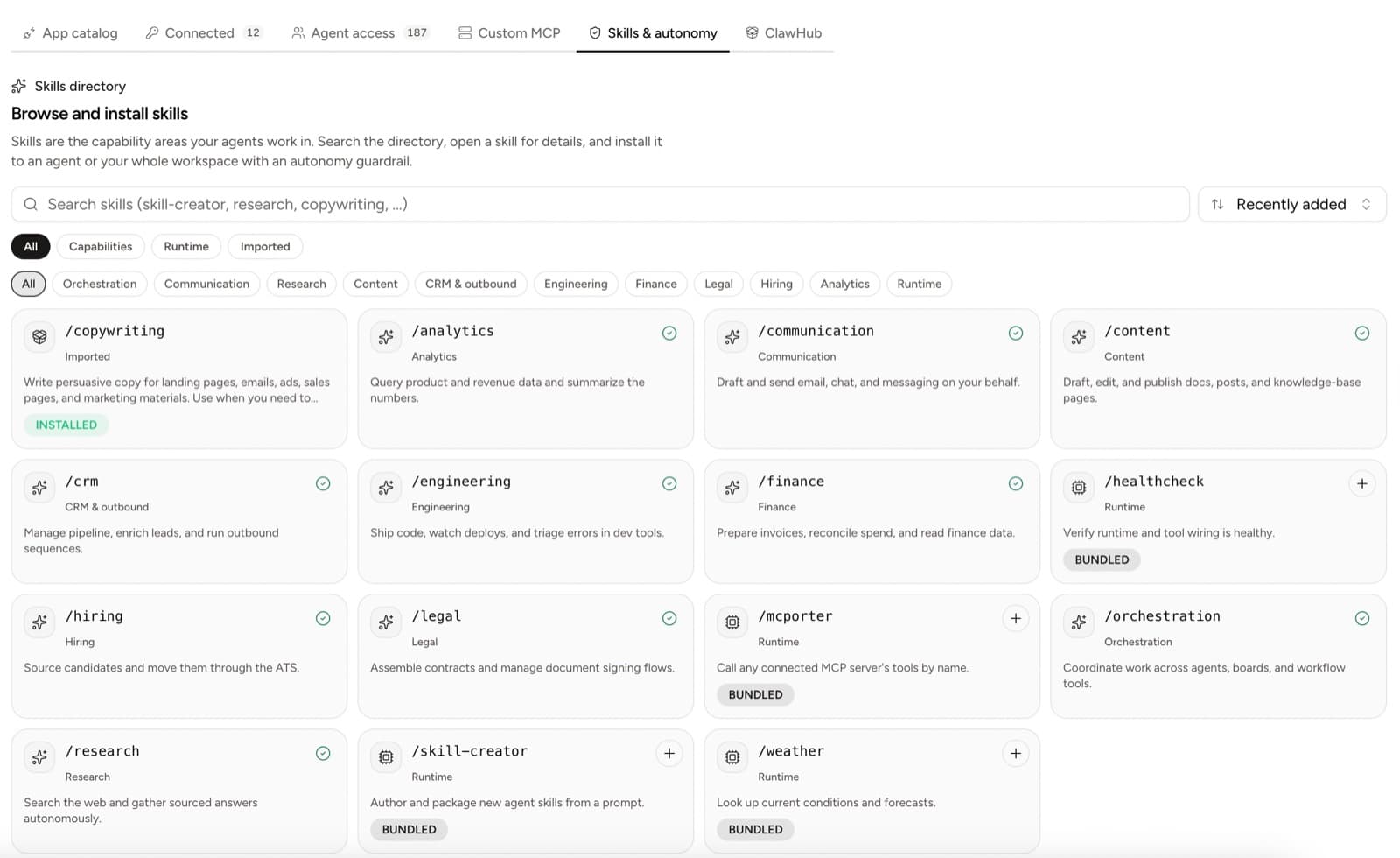
Install skills by employee or workspace and toggle them per employee with the same switches used for tools.
The access model
The important distinction is simple: connections hold account access; switches decide who can see it; the approval gate decides whether a risky action runs.
Continue with Composio app setup, Custom MCP servers, and Tool access per employee.
Product tour
A text tour of Yodu's current company workspace, employee channels, work board, memory, files, tools, skills, schedules, approvals, and runtime controls.
Connecting a tool safely
Connect a business app or custom MCP server, grant employee access, test approval behavior and revoke access when work changes.