
Schedules and recurring work
Create, test, pause, edit, and review recurring AI employee jobs in Yodu with clear owners, timing, run history, and approval controls.
Schedules are for work that should repeat without creating the same task manually each time.
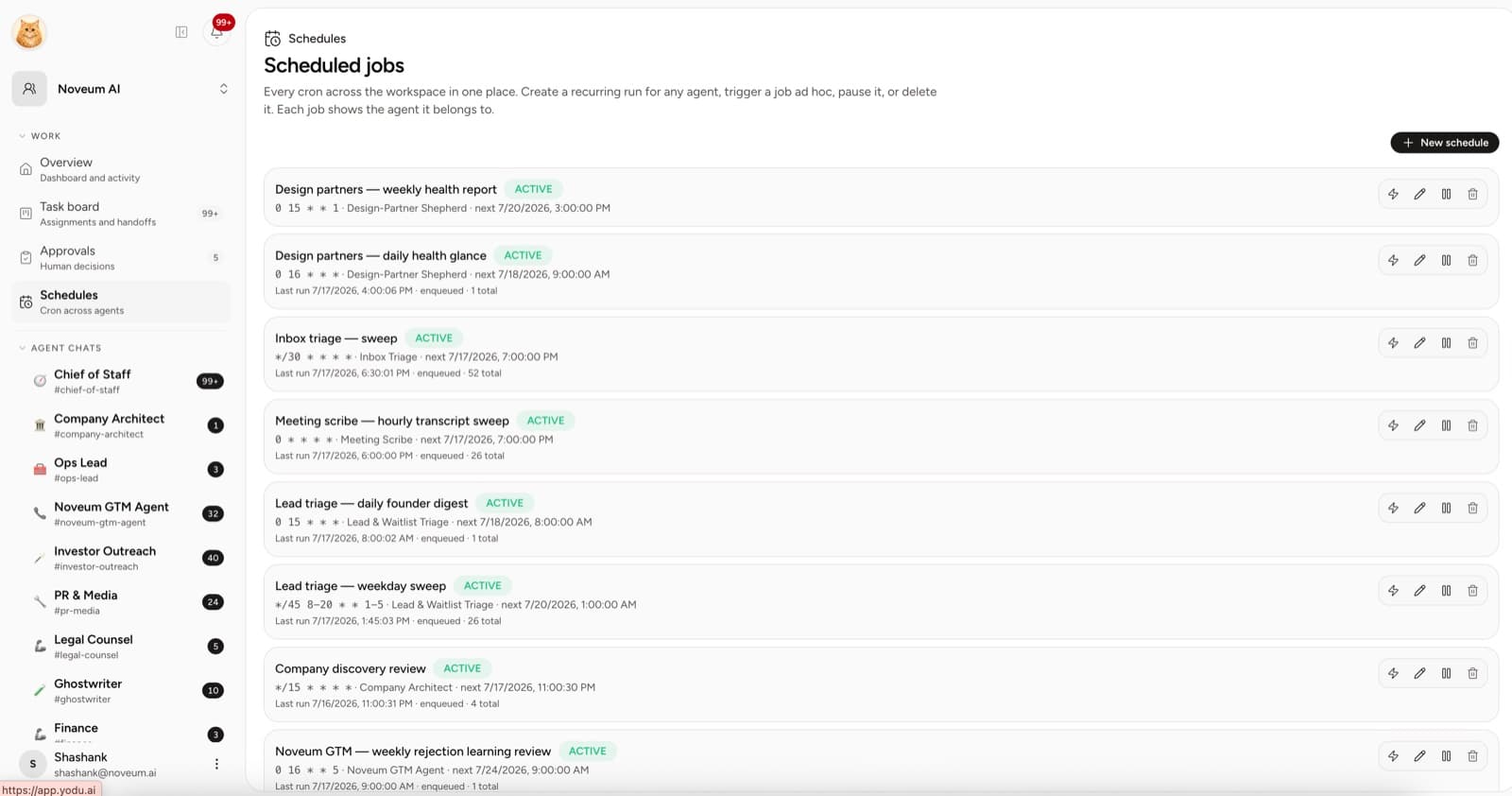
Retired company discovery schedule
Older workspaces with a Company Architect had a system-owned Company discovery review schedule. It was retired on 24 August 2026: Yodu pauses or archives any remaining copy, and new workspaces never get one.
Create a schedule
Open Schedules and select New. Define:
- a clear job name
- the AI employee owner
- the recurring cadence
- timezone
- the work instruction
- the expected output or destination
Use a name that describes the outcome, such as “Monday competitor brief” or “Daily support theme review.”
Test before relying on it
Use the run control to trigger the job on demand. Confirm:
- the correct employee receives the work
- the employee has the required memory and tool access
- the output appears in the expected place
- sensitive actions still stop at the approval gate
- the last-run information updates
Only then leave the recurring schedule active.
Manage active schedules
Each row shows the owner, cron cadence, previous run, next run, state, and total queued runs. Use the row controls to:
- run now
- edit
- pause or resume
- delete
Pause a schedule before changing the connected account, role policy, or expected output it depends on.
Good recurring jobs
- weekly market or competitor brief
- daily inbox theme summary
- follow-up preparation after new calls
- scheduled pipeline hygiene review
- weekly content opportunity scan
- recurring repository or issue summary
Avoid open-ended schedules such as “grow the company every hour.” A recurring job should have a stable input, a clear output, and an owner who can be reviewed.
Review habit
Review active schedules weekly. Remove obsolete work, adjust cadence when output is noisy, and check that the employee still has the right context and tool access.
Recurring work should reduce coordination. If a schedule creates output no one reviews or uses, pause it and refine the job.