
Task board and approvals
Create, assign, move, review, and close AI employee work with a consistent task lifecycle and human approval queue.
Use the task board for work that needs an owner, a status, or a reviewable output. Chat can start the conversation; the board keeps the work from disappearing inside it.
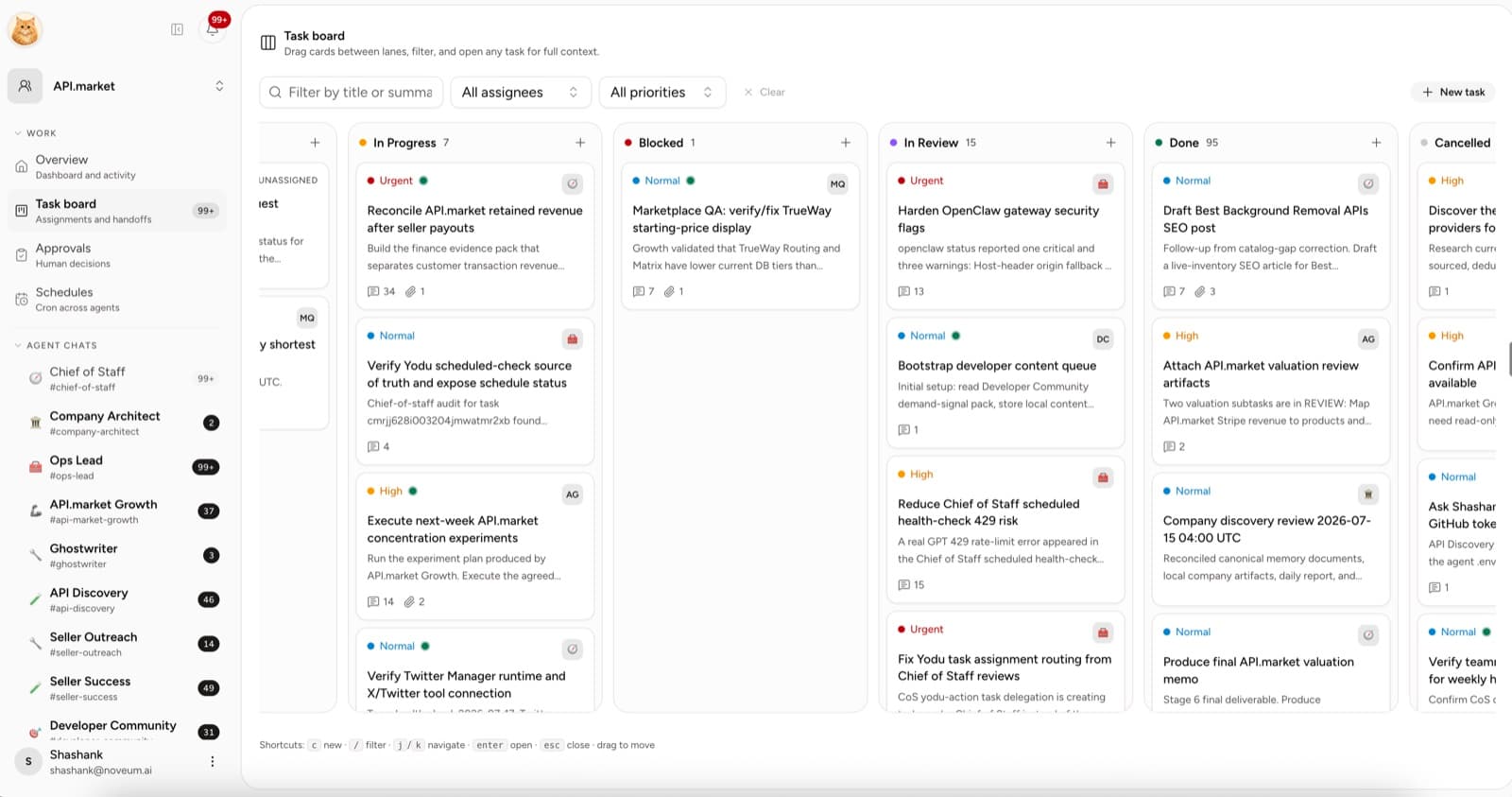
Board lanes
| Lane | Meaning |
|---|---|
| Triage | A new request that still needs shaping |
| Backlog | Clear work that is ready to be picked up |
| Todo | Accepted and assigned work |
| In progress | Work currently being performed |
| Blocked | Work waiting on access, context, or a decision |
| In review | Output or action waiting for a human decision |
| Done | Completed work with the result recorded |
| Cancelled | Intentionally stopped work with context preserved |
Move a card by dragging it between lanes. Keyboard users can focus a card, press Space to pick it up, use the arrow keys to move it, and press Space again to drop it.
Create a useful task
Select New task or use the add control in a lane. Include:
- a specific outcome in the title
- a short brief
- the assigned AI employee
- priority
- due date when timing matters
- tags for filtering
- source files or links
- the expected review state
Prefer “Draft five account follow-ups from the attached call notes” over “Do sales.”
Triage and backlog
Use Triage for raw requests. A human or the team lead can clarify the goal, add context, and decide whether the work belongs in the backlog.
Move a card to Backlog only when an employee can understand the expected output and has the context or access required to begin.
Assignment and handoff
Use the assignee filter to scan one employee's workload. A task can link to:
- the employee channel
- comments from human and AI teammates
- source files
- generated artifacts
- approval requests
- evidence or status updates
If an employee cannot continue, move the task to Blocked and record the missing decision, connection, context, or file on the card. Move it back to Todo or In progress when the blocker is cleared.
Human approvals
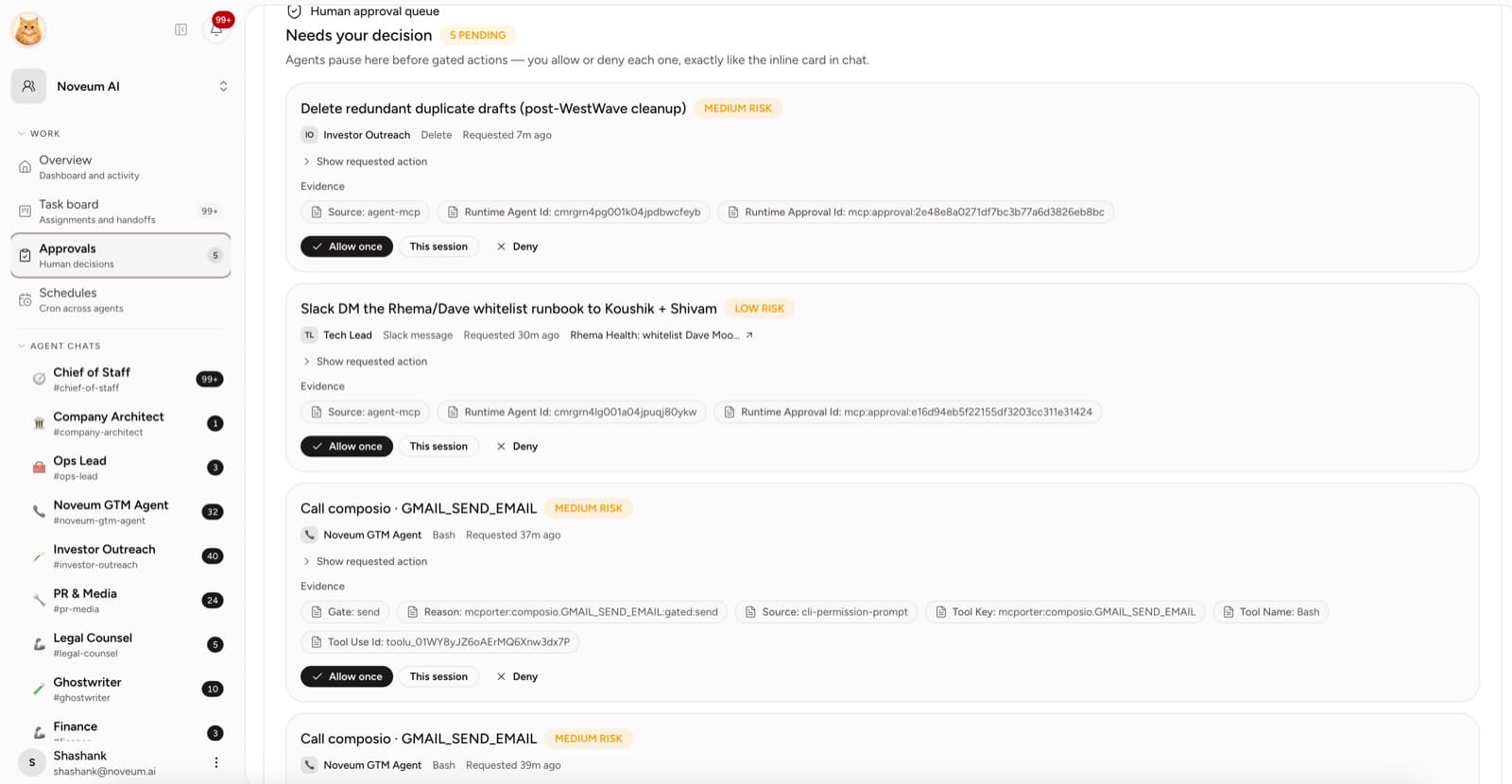
Open Approvals to review requests created for sensitive actions. With Ask first selected, the employee requests approval before actions such as:
- sending external email
- publishing content
- modifying an important system of record
- issuing a refund or spending money
- changing production or repository state
Review the linked task and evidence before deciding. Choose Allow once, This session, or Deny — deny when the action is incorrect, the context is incomplete, or the employee should revise the output first. See Approvals and autonomy for the full decision model.
Closing work well
Before moving a card to Done, confirm:
- the requested outcome is complete
- the final file or result is linked
- any human decision is recorded
- the card contains enough context for someone else to understand what happened
Use Cancelled instead of deleting work when the reason may matter later.
Board review habit
A short daily review is usually enough:
- Shape new triage items.
- Clear tasks blocked on a human.
- Review the In review lane.
- Check overdue or unassigned cards.
- Confirm completed tasks include their output.
The board is useful when it reduces follow-up, not when it becomes another place to copy status manually.
Command center and notifications
Monitor the AI team, talk to individual employees, and use linked notifications to move from an alert to the related work.
Approvals and autonomy
How Yodu's human-in-the-loop model works — what triggers an approval, the inline chat card and the queue, Allow once / This session / Deny, and how the gate composes with per-employee tool switches.